
The 3D DeepDive
See what an attacker sees first.
Breach Scout checks your public email-security settings and basic website protections. Verify your work email, start the scan, and view your findings online. Nothing to install.
Run the free scanUse your work email. Verify it to scan your company’s email domain.
Want the inside view too? Book a 3D DeepDive Assessment.
Two ways to see your exposure
| Free External Scan | 3D DeepDive Assessment | |
|---|---|---|
| View | Outside view | Inside view |
| Data used | Public information | Your users, data, and devices |
| Time | Email verification, then scan processing | Two to four weeks |
| What you get | Public email and website findings | An executive report and a roadmap |
| Access required | Verified work email; no system access | Read-only, for a short agreed period |
A first look at your public protections
See which email and website settings deserve attention.
- Public DNS signals for email authentication
- Website HTTPS and TLS checks
- Website redirects and security headers
The free Quick Scan does not search paid breach databases or inspect your internal systems. A deeper questionnaire is an optional next step.
Findings first. Your next step is your choice.
View the completed scan findings without booking a call. If you want help interpreting them, request an exposure review from the results page.
The review request uses your verified email and lets you add your name and a message for the Castile team.
What to expect from your scan
Verify your work email
Your verified email determines the company domain checked. Start the scan explicitly after verification.
Public checks
Breach Scout checks public DNS and makes limited website requests. No software is installed on your systems.
Ask for a review
If you request help, your review request goes to the Castile workspace and its configured notification recipients.
No booking required
You can view all completed Quick Scan findings before deciding whether to talk with us.
Read our privacy notice for information about handling your data.
When you want the inside view too
The paid 3D DeepDive Assessment examines your users, data, and devices. It turns the findings into a prioritized plan for your business.
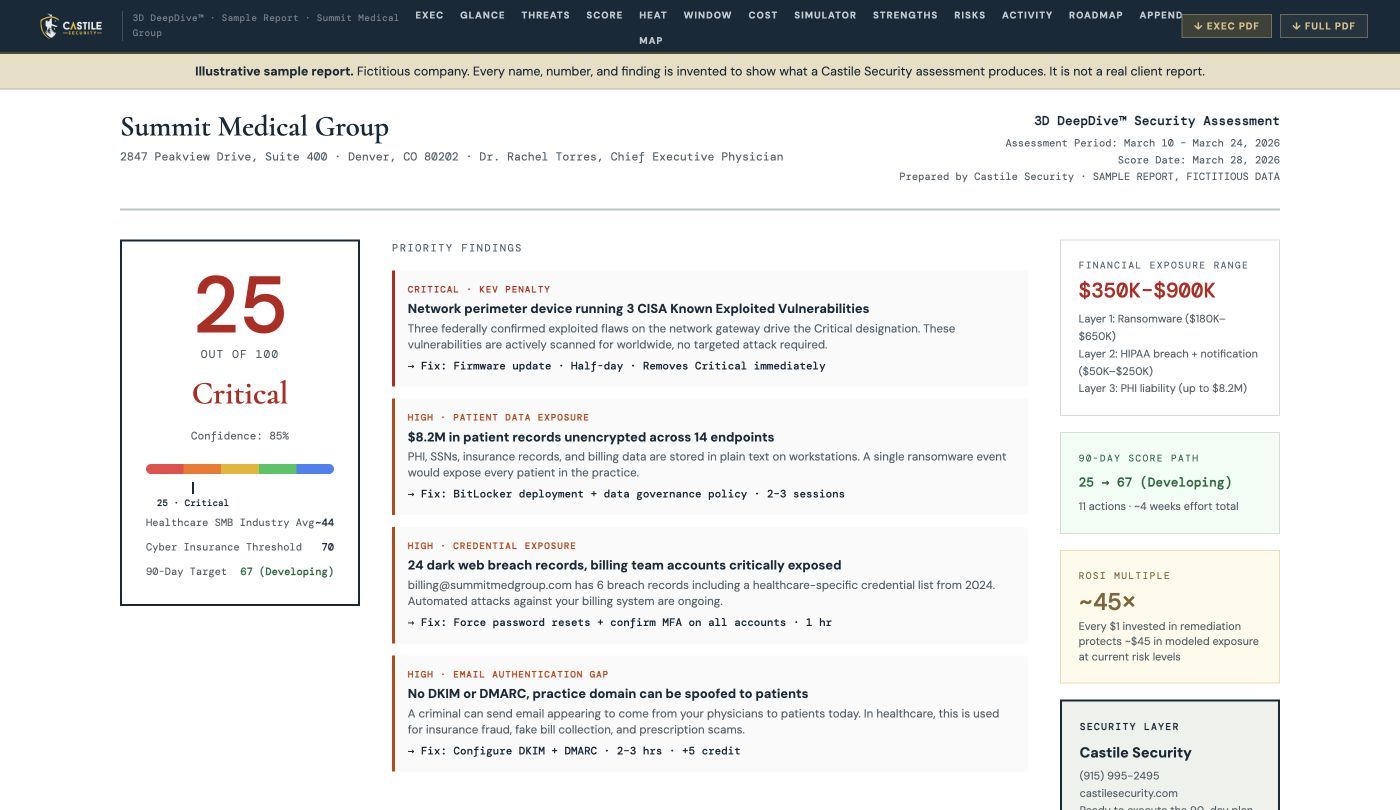 Open the live sample report →
Fictitious company, real methodology. No client data appears anywhere in this sample.
Discover
We put lightweight, read-only tools on your systems for a short, agreed period. They look, they do not change anything, and they come out when we are done.
Diagnose
We review sensitive data, email and password practices, device protection, and backup recovery. A safe practice phishing exercise helps assess staff readiness.
Deliver
You get a readout call and a report written for the owner, not the IT department.
What the report contains
- An executive overview in plain English.
- A count of the sensitive records we found and the financial risk attached to them.
- The threats that target your industry and your region specifically.
- Three actions for this week, then a 90-day roadmap in priority order.
- A live dashboard you keep, so you can watch the score move as things get fixed.
Your next step is your choice. Use the report yourself, share it with your IT provider, or ask Castile to help with remediation.
The price is a fixed fee, quoted before we start, sized to your business. Ask on the call.
A clear picture and a next step
Owners want a clear picture and a practical next step. Our assessment brings findings, priorities, and a person to talk them through. See examples from our client engagements.
Run it for your clients, under your brand
IT providers can offer the scan and assessment with their own logo, colors, and booking link. Your prospects see your brand, backed by Castile delivery.
Questions
What does the free scan check?
Public DNS email-security signals and basic website protections, including HTTPS, redirects, and security headers. It does not include paid breach-data searches or an internal assessment.
What do you need from me?
Your work email and email verification. Breach Scout derives the domain from that verified address. You do not need to enter a separate domain or complete a questionnaire.
When does the scan start?
After you verify your email and explicitly start the scan. Processing time varies; findings appear online when the checks complete.
Can I scan another company?
The public Quick Scan checks the domain of your verified work email. IT providers can contact us about partner workflows.
What if the scan comes back clean?
It means no issues were identified within the scope and data available to that scan. It is not proof that every system is secure or a substitute for a full assessment.
Can I talk to a person about the results?
Yes. Request an exposure review from your results or book a discovery call through this website.